DBLense Script Runner → Complete User Guide
Execute SQL scripts across multiple servers and databases in one click. Organize servers into groups, reuse SQL templates, compile-check every target before execution, run sequentially or in parallel, route scripts by filename or comment directives, then search, chart, and export the results to Excel, CSV, or JSON. Save the whole run as a shareable project file and repeat it any time — all from a single portable .exe.
What it does
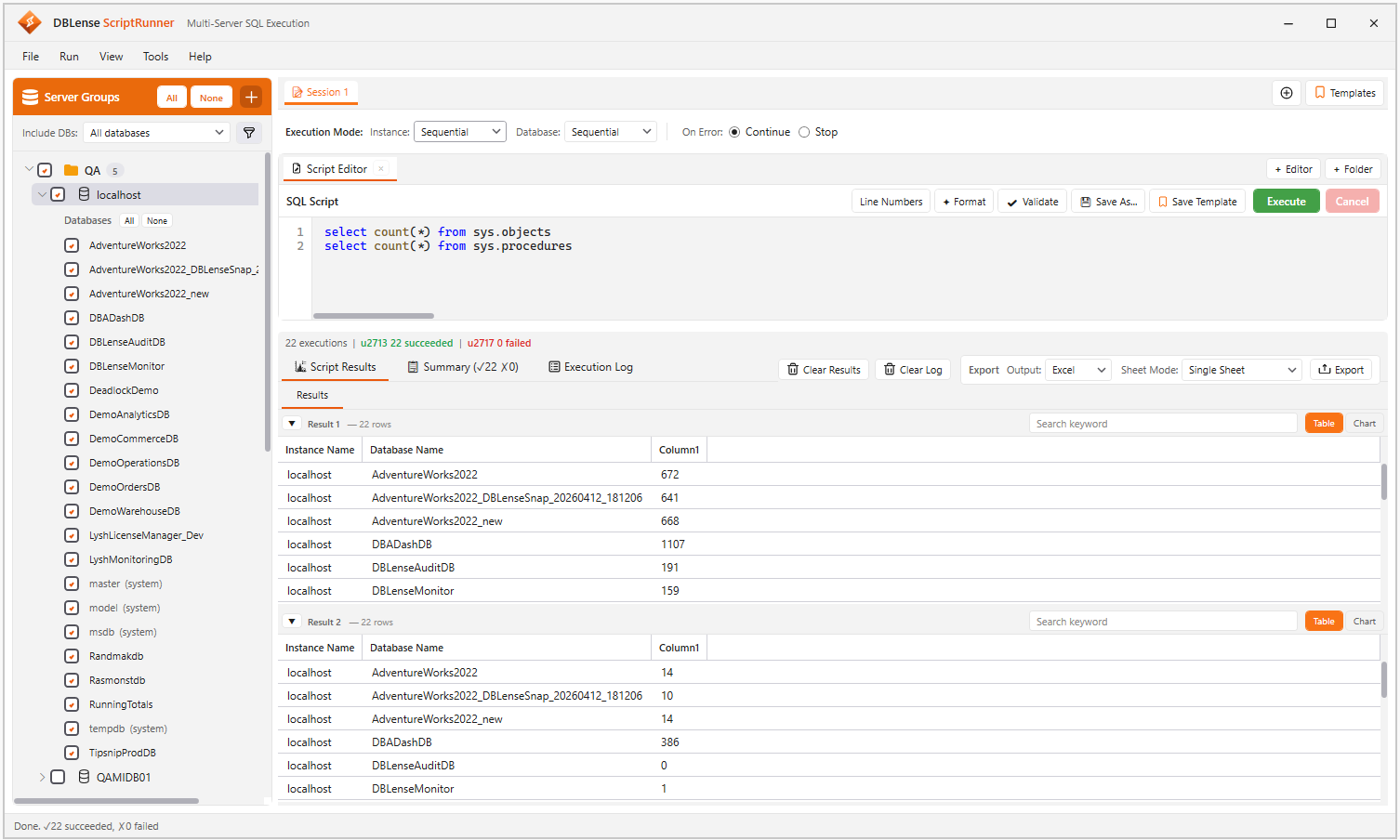
Script Runner is built for day-two DBA work: patching, inventory, permission checks, and controlled multi-server changes. You organize servers into groups, limit which databases are in scope, choose how widely to parallelize, and review a unified, searchable result set with a per-target pass/fail summary.
- Server groups — target fleets without reconnecting one by one, with Windows, SQL, and Entra ID (including MFA) authentication
- Database scope — filter to user, system, or all databases, then refine with include/exclude name lists
- Templates & folders — reuse scripts, order them explicitly, and pattern-match route them to the right servers
- Validate then execute —
SET NOEXEC ONcompile checks against every selected target before any real run - Two-axis concurrency — control server-level and database-level parallelism independently
- Understand the answer — per-script and per-result-set grids, instant search, built-in charts, and a filterable execution summary
- Export anywhere — formatted Excel with five sheet layouts, UTF-8 CSV, or structured JSON
- Save the whole run — bundle scripts, targets, and execution options into a credential-free project file you can commit or share
At a glance
| Area | What you get |
|---|---|
| Targets | Server groups, lazy database discovery, scope filter, include/exclude lists, cascading selection |
| Authentication | Windows, SQL Server, Entra ID (Password), Entra ID (MFA); passwords encrypted with Windows DPAPI |
| Scripts | Syntax-highlighted editor with line numbers, folder mode with explicit ordering, grouped template library, T-SQL formatter |
| Safety | Compile-only validation across all targets, continue/stop on error, cancellation, comment-aware GO splitting with GO n repeat counts |
| Execution | Sequential or parallel across servers, sequential or batched across databases, with a tunable batch size |
| Results | One tab per script, one grid per result set, collapsible, searchable, chartable, with Instance and Database columns on every row |
| Reporting | Execution summary with per-script breakdown, timestamped log including PRINT output, Excel/CSV/JSON export |
| Projects | Save a session as a .dbsrproj file — scripts, selected targets, scope, and execution options — with relative script paths and no credentials |
| Workflow | Multiple sessions and script workspaces, full keyboard shortcuts, dark and light themes, portable single .exe |
Continue with Getting Started, then the Interface & Features walkthrough.